


Flynn
Supporters
-
Joined
-
Last visited
Everything posted by Flynn
-
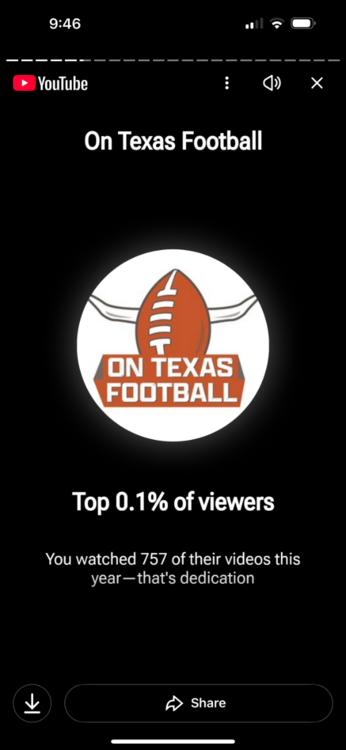
Go to your YouTube and look for your 2025 review video. Screen shot your OTF part.
-
@Sarah O takes the top spot so far. I have been dethroned already lol. Keep em coming.
-
I saw a chatter this morning on coffee and football was a top 2%er in watch time. I thought to myself hey that’s pretty respectable percentage so I checked mine. read em and weep losers lol show me what you got post them here and let’s see
-
I can dig it
-
I’ll take the trash can full of dirt in the middle in any system. That is if he is effective at the thing I’m asking him to do which is eat doubles and disrupt the run game.
-
You have my curiosityNever got picked up by the national hype train.Brady Sarkisian slander continues lolCongrats to some absolute dudesSo closeCan he play LB?Over the ball target?Will Compton must be in shamblesNo Simmons is patheticHe has productionThe flood gates are about to open
Important Information
We have placed cookies on your device to help make this website better. You can adjust your cookie settings, otherwise we'll assume you're okay to continue.








Account
Navigation
Search
Configure browser push notifications
Chrome (Android)
- Tap the lock icon next to the address bar.
- Tap Permissions → Notifications.
- Adjust your preference.
Chrome (Desktop)
- Click the padlock icon in the address bar.
- Select Site settings.
- Find Notifications and adjust your preference.
Safari (iOS 16.4+)
- Ensure the site is installed via Add to Home Screen.
- Open Settings App → Notifications.
- Find your app name and adjust your preference.
Safari (macOS)
- Go to Safari → Preferences.
- Click the Websites tab.
- Select Notifications in the sidebar.
- Find this website and adjust your preference.
Edge (Android)
- Tap the lock icon next to the address bar.
- Tap Permissions.
- Find Notifications and adjust your preference.
Edge (Desktop)
- Click the padlock icon in the address bar.
- Click Permissions for this site.
- Find Notifications and adjust your preference.
Firefox (Android)
- Go to Settings → Site permissions.
- Tap Notifications.
- Find this site in the list and adjust your preference.
Firefox (Desktop)
- Open Firefox Settings.
- Search for Notifications.
- Find this site in the list and adjust your preference.