



AntonioGra8
Members
-
Joined
Everything posted by AntonioGra8
-
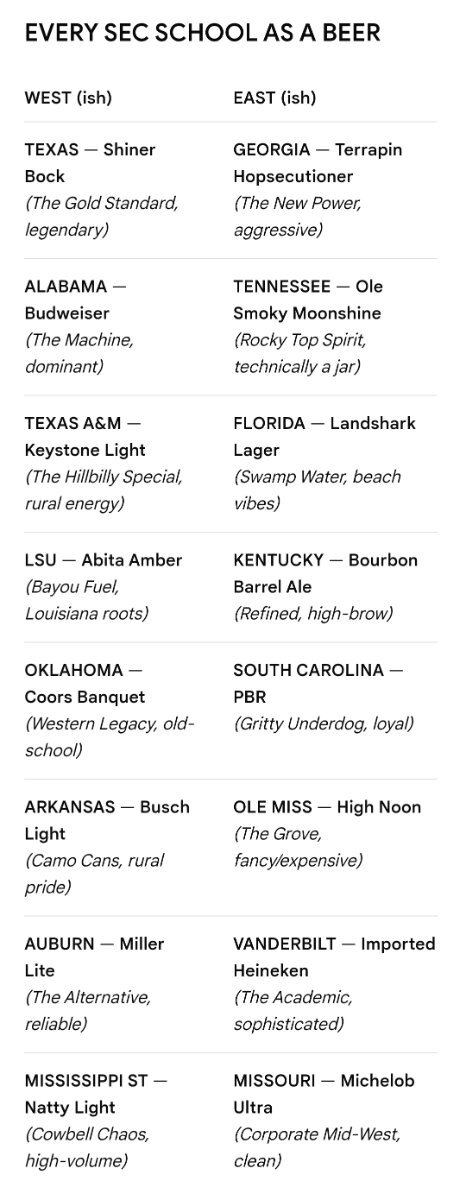
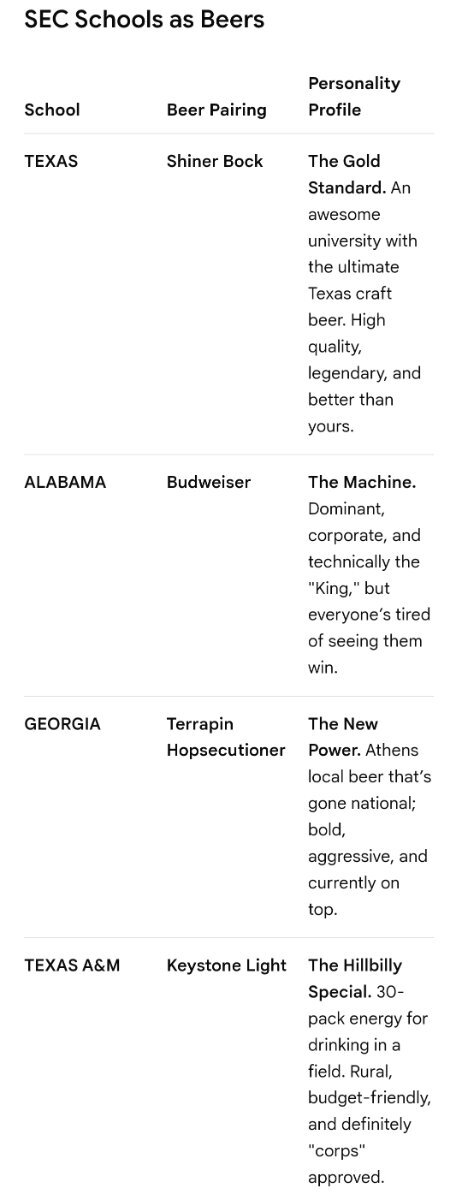
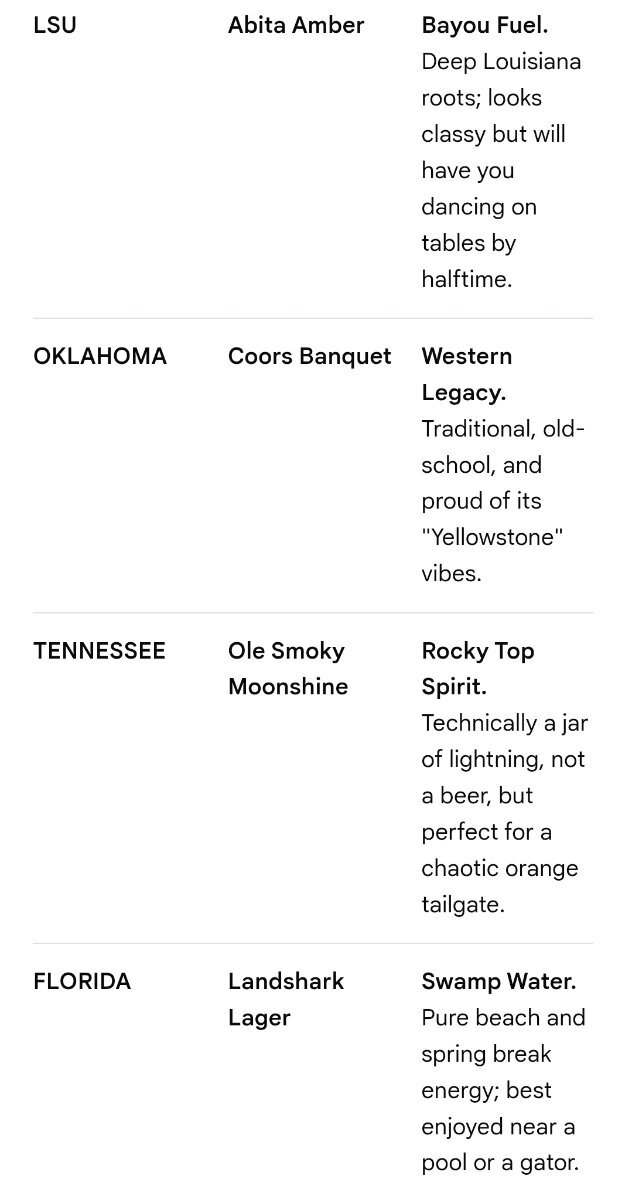
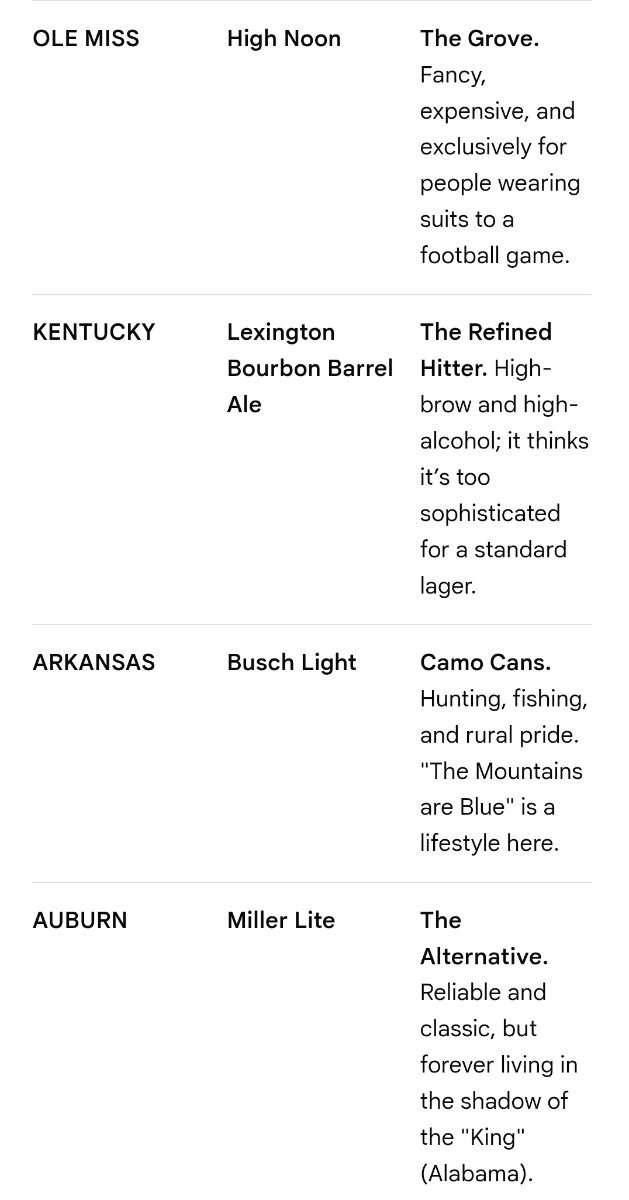
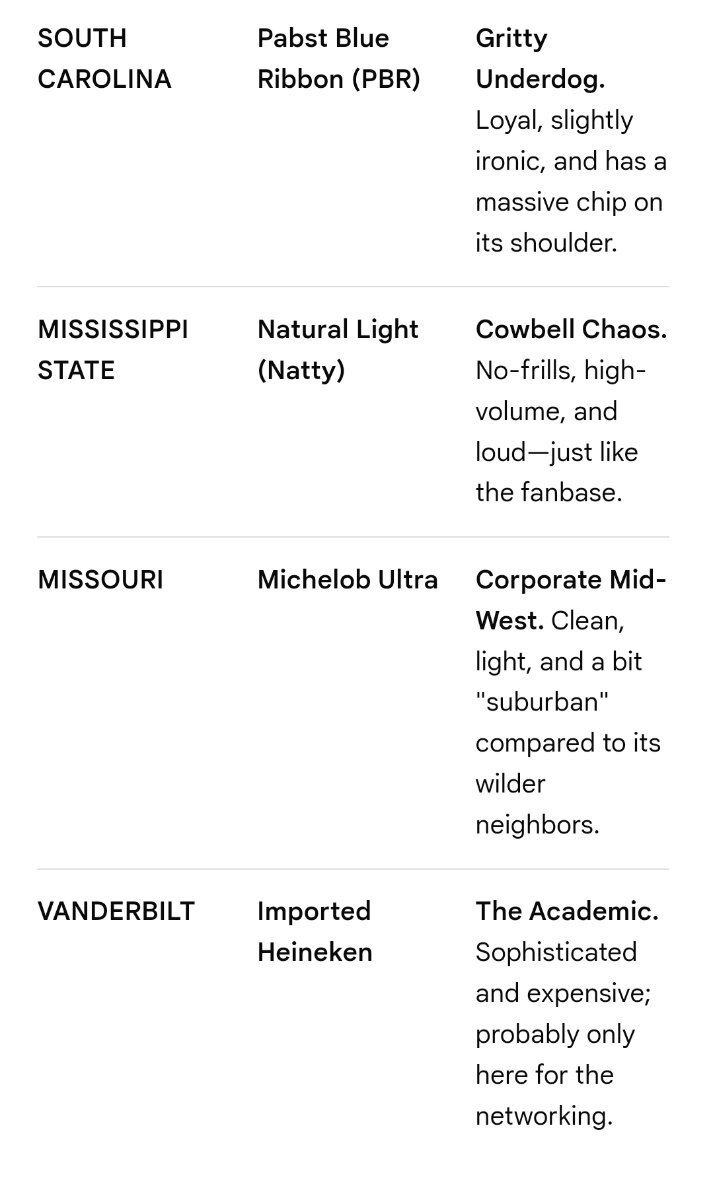
Every SEC Team as a Beer. Cheers! 🤘🏼🍻
-
Original post / inspiration was B1G
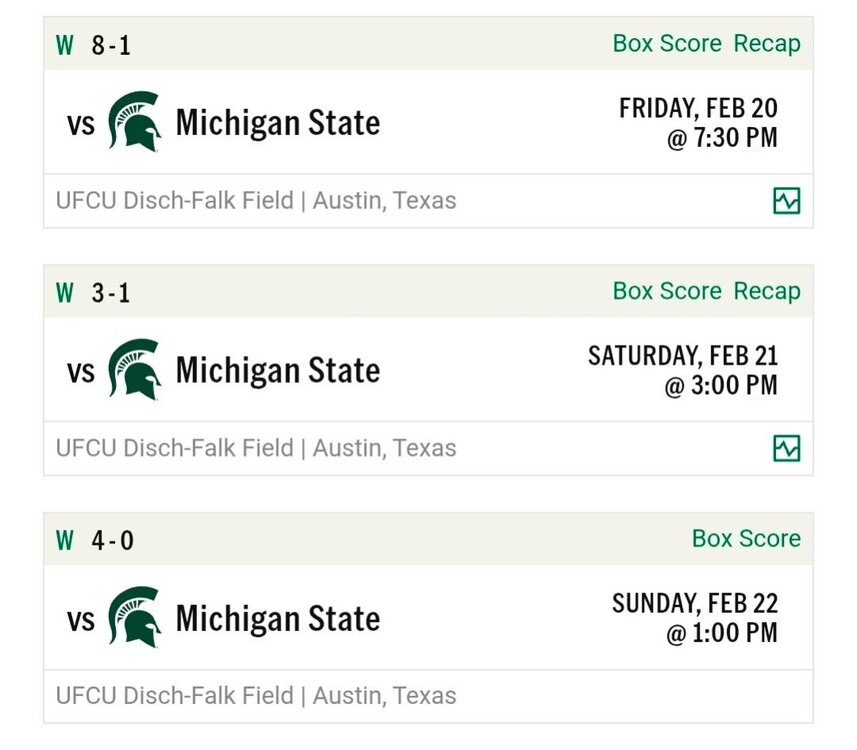
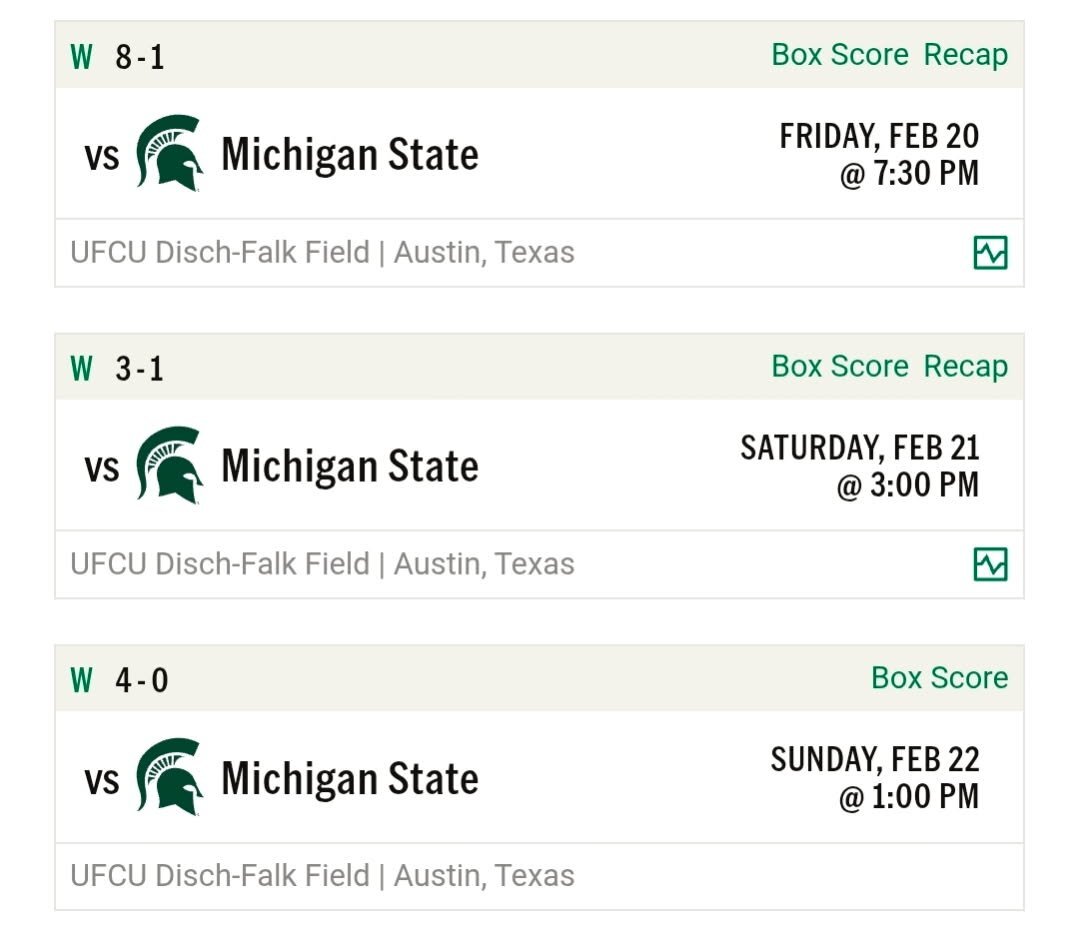
 I hope he gets another shot at it! 🤘🏼Nice sweep! 🧹🤘🏼 TexasEx in Michigan. Loving how many games are on ESPN app these days.
 Did you see this one? https://sports.mynorthwest.com/ncaa/wsu/wsu-cougars-land-commitment-from-former-nfl-te/1834981#:~:text=The WSU Cougars have landed,class for 2026%2C per 247sports.Interesting. So @Bobby Burton was talking about if an athlete goes pro in any sport, they should be ineligible for college athletics. I don't disagree... but didnt realize by that standard, Quan Cosby wouldn't have played CFB at Texas bc he played MiLB prior.
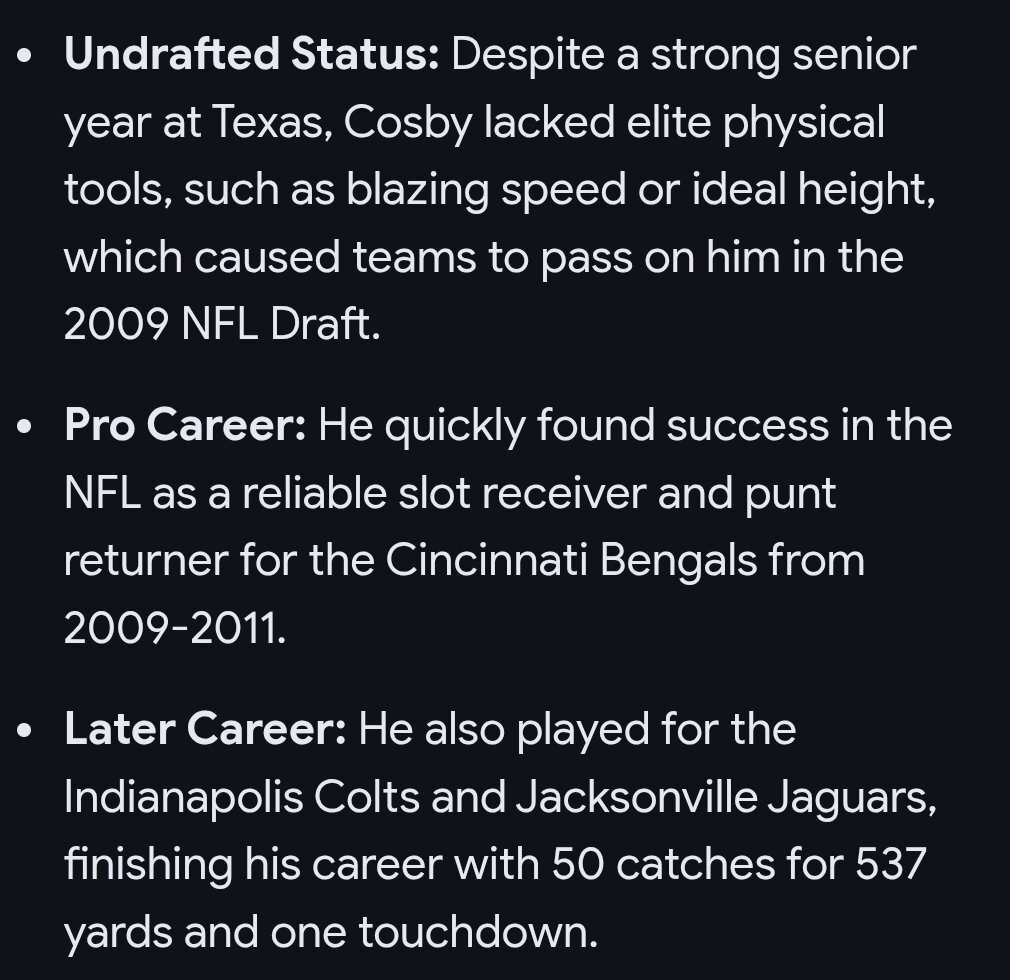
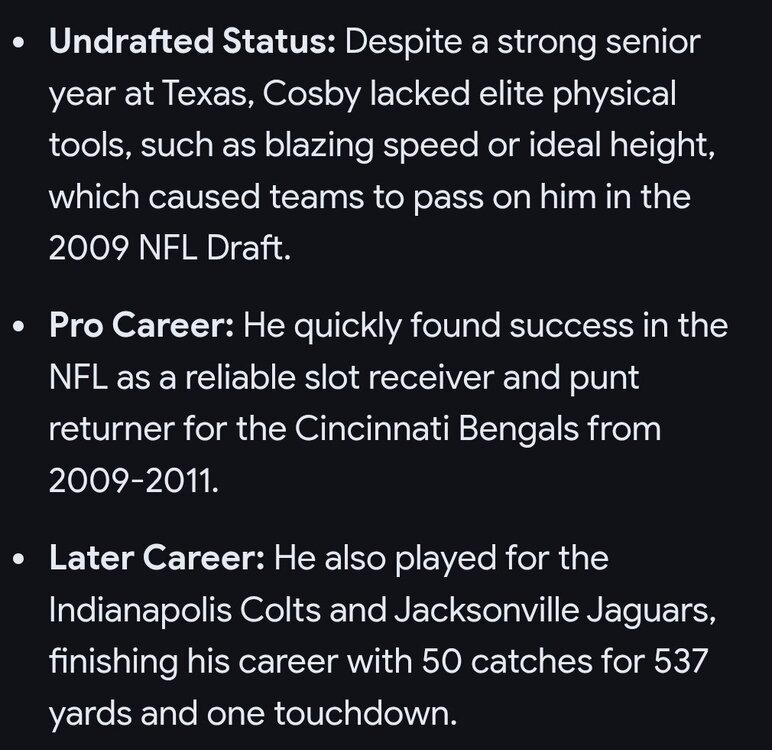 How did Quan Cosby go undrafted?Lets Go! HookEm. Thanks, CJ🤘🏼🤘🏼Dodgers are signing everyone! 🤘🏼⚾️🇺🇸
 🤘🏼
🤘🏼 🤘🏼
🤘🏼 🤘🏼
🤘🏼 It says Arkansas has the easiest schedule, and we're nextThis guy's saying Texas has second easiest SEC strength of schedule this season 🤘🏼⚾️Why Colorado???
 🐎->🐅->🔪
 So.... who gets jersey #3?
 Now, add a few OL, and HookEm 🤘🏼
🤘🏼
Now, add a few OL, and HookEm 🤘🏼
🤘🏼
















Important Information
We have placed cookies on your device to help make this website better. You can adjust your cookie settings, otherwise we'll assume you're okay to continue.
Account
Navigation
Search
Configure browser push notifications
Chrome (Android)
- Tap the lock icon next to the address bar.
- Tap Permissions → Notifications.
- Adjust your preference.
Chrome (Desktop)
- Click the padlock icon in the address bar.
- Select Site settings.
- Find Notifications and adjust your preference.
Safari (iOS 16.4+)
- Ensure the site is installed via Add to Home Screen.
- Open Settings App → Notifications.
- Find your app name and adjust your preference.
Safari (macOS)
- Go to Safari → Preferences.
- Click the Websites tab.
- Select Notifications in the sidebar.
- Find this website and adjust your preference.
Edge (Android)
- Tap the lock icon next to the address bar.
- Tap Permissions.
- Find Notifications and adjust your preference.
Edge (Desktop)
- Click the padlock icon in the address bar.
- Click Permissions for this site.
- Find Notifications and adjust your preference.
Firefox (Android)
- Go to Settings → Site permissions.
- Tap Notifications.
- Find this site in the list and adjust your preference.
Firefox (Desktop)
- Open Firefox Settings.
- Search for Notifications.
- Find this site in the list and adjust your preference.