Blake Munroe
Moderators
-
Joined
-
Last visited
Everything posted by Blake Munroe
-
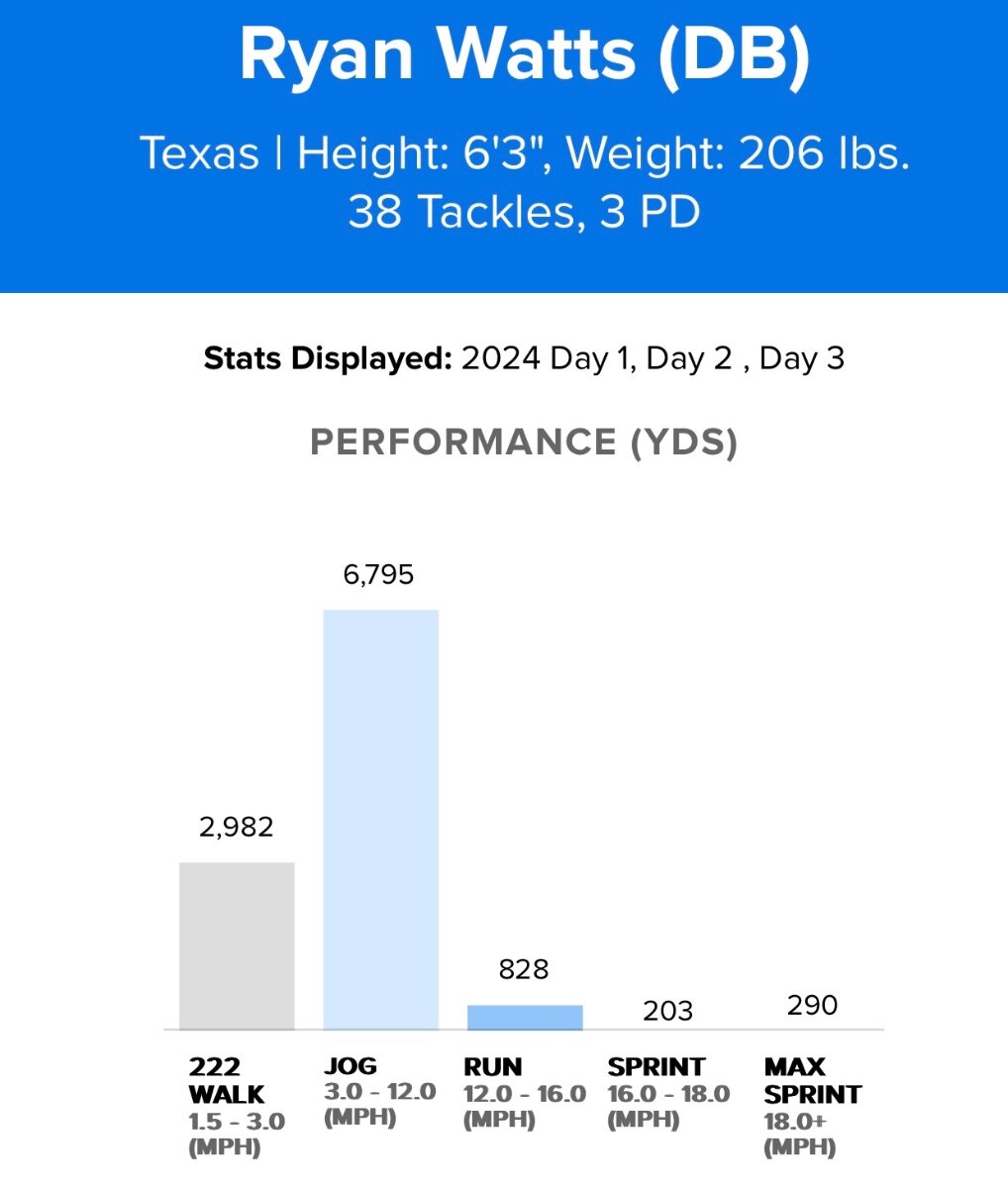
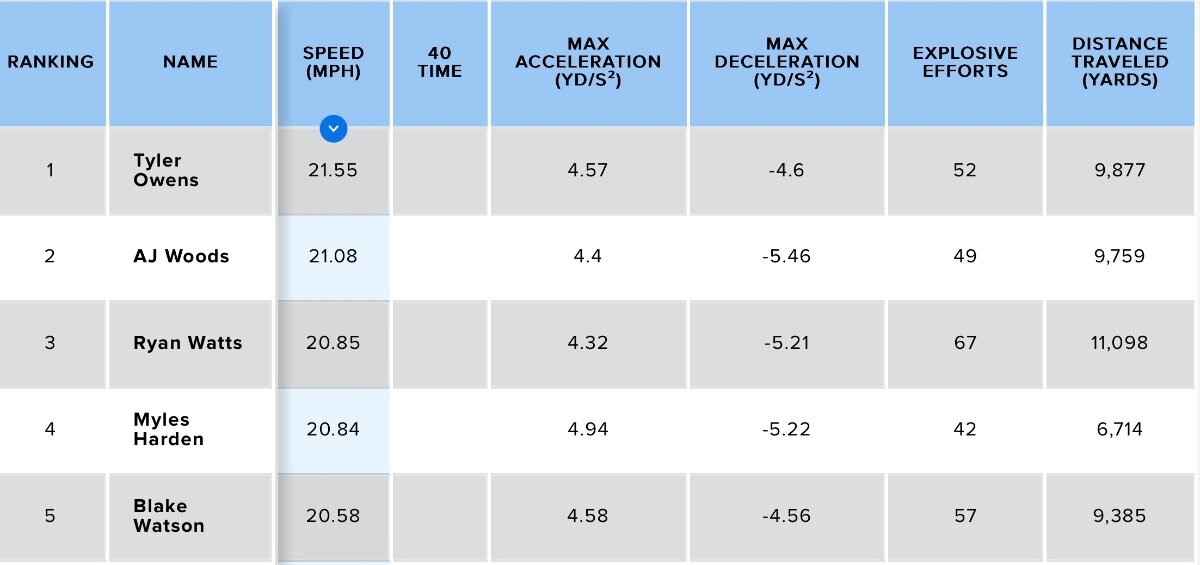
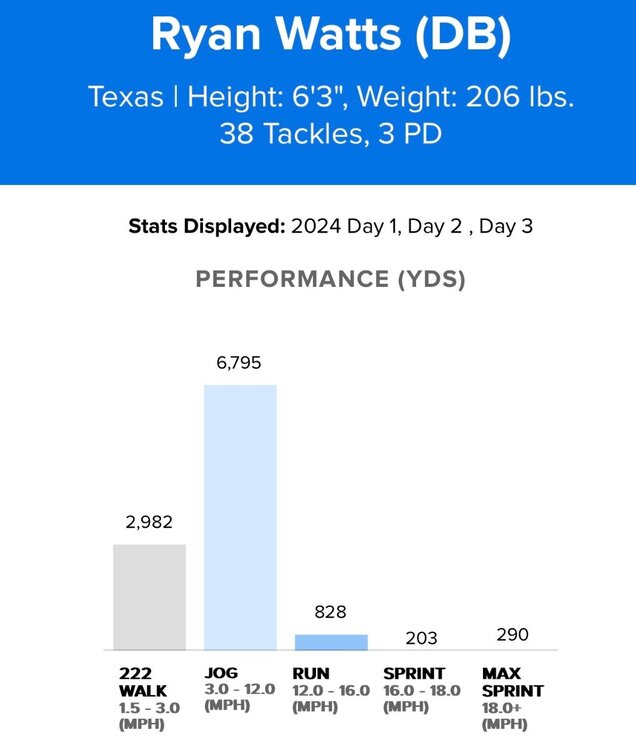
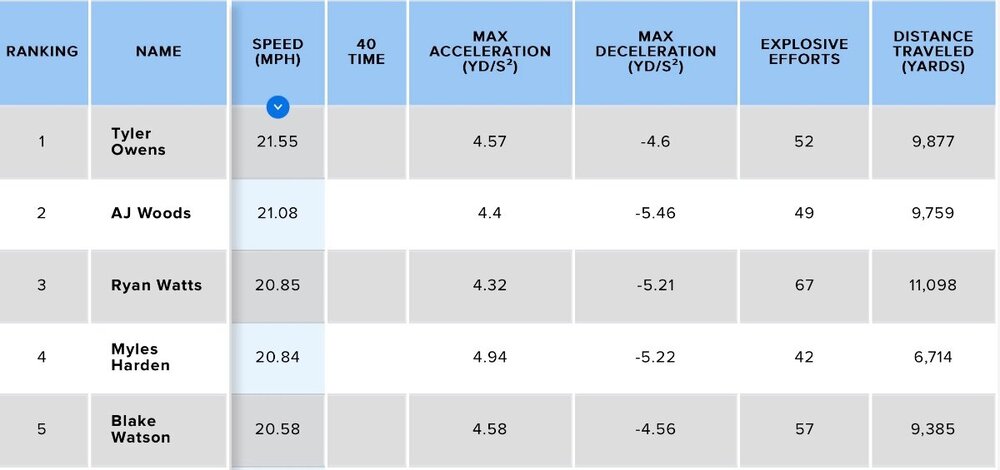
Here’s a little more data for y’all. These are from the first three practices. I don’t have the game data yet, but I’ll have it soon.
-
Nope! My last name is spelled with a u. Munroe.
-
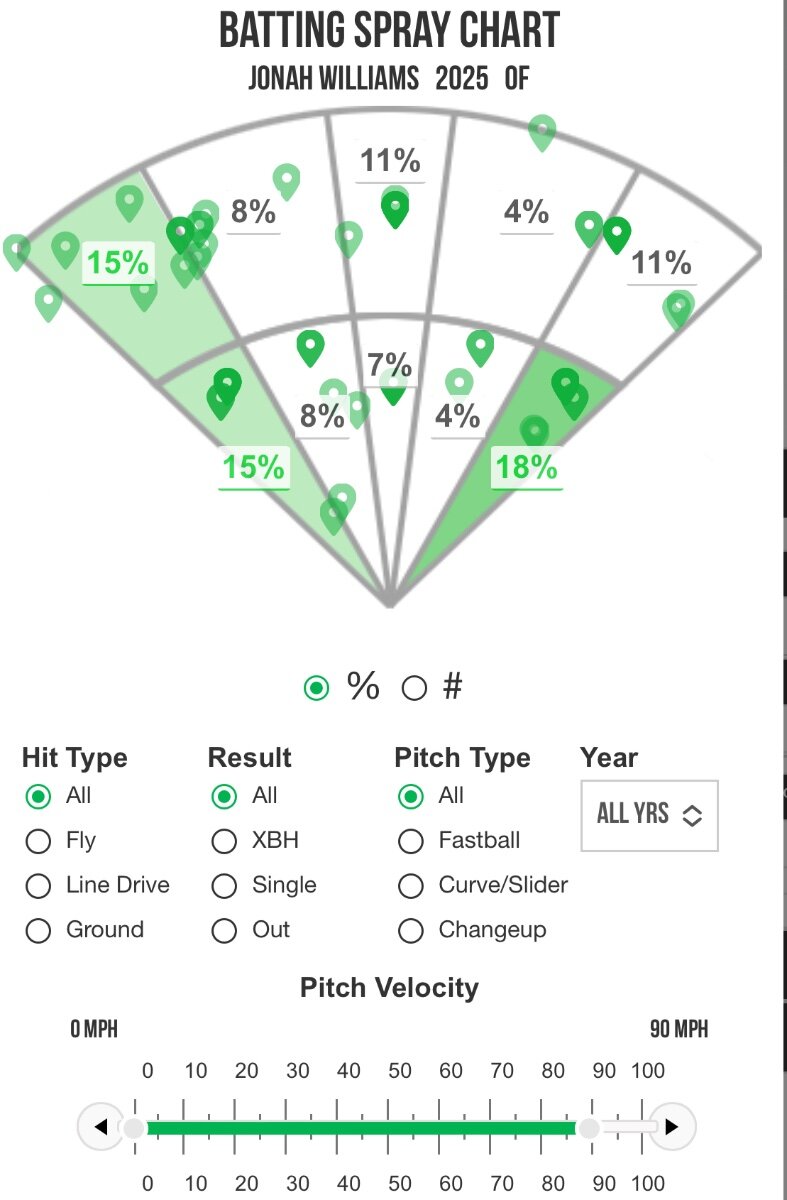
@Bobby Burton can probably weigh in on this the best.Important to note those are from Perfect Game tournaments only. Wow Factor normally plays a ton of PG and Five Tool tournaments!And here is his career spray chart as a batter:
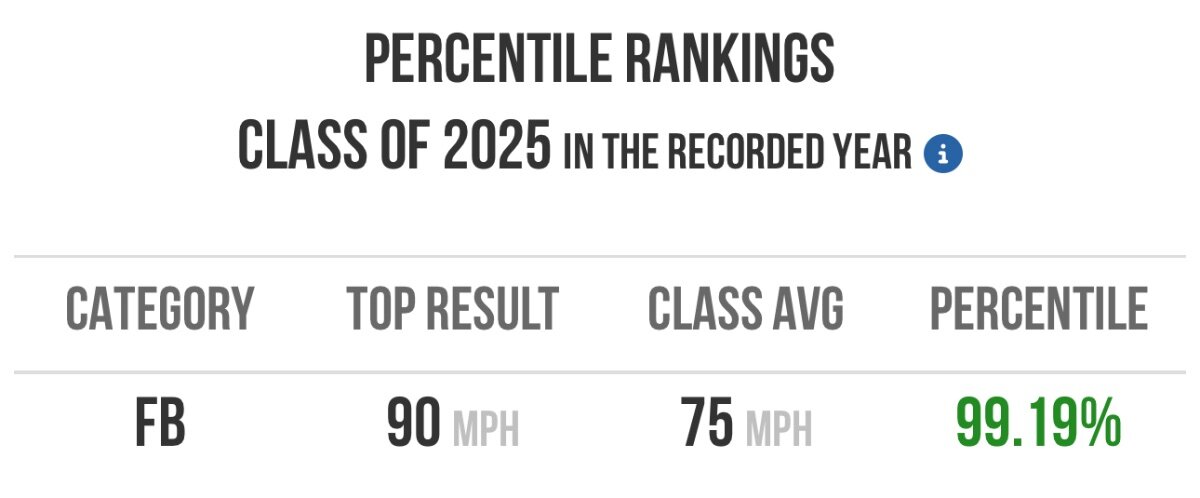
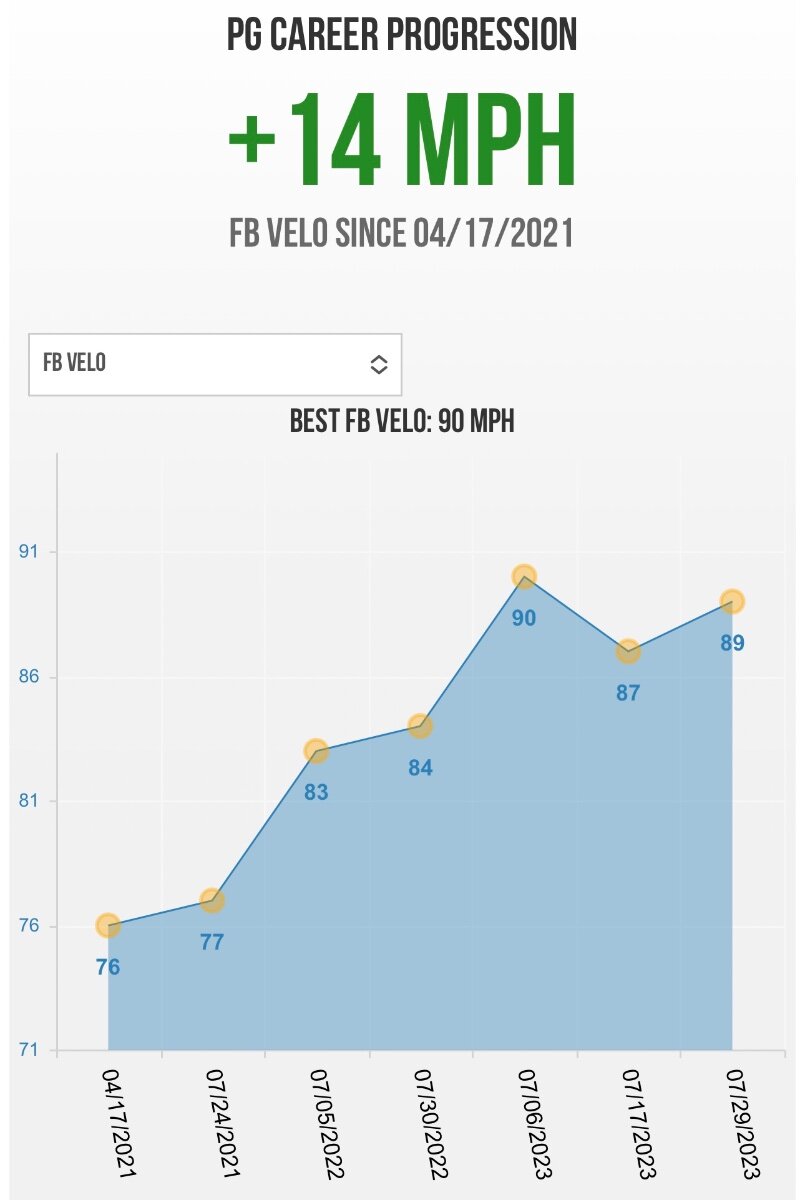
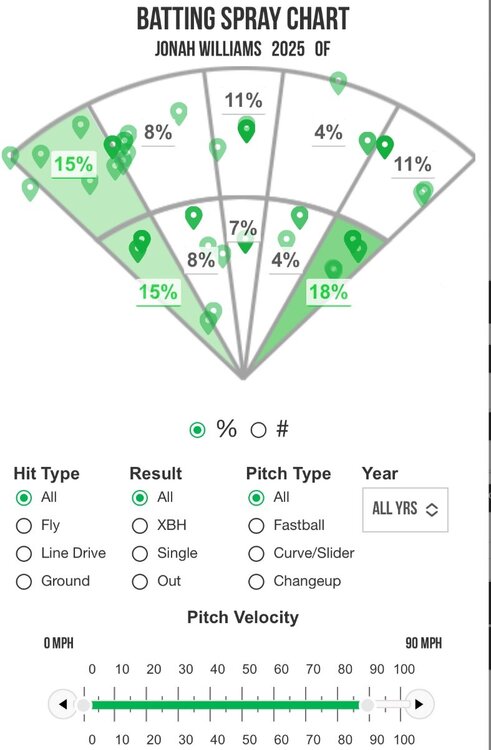 Here’s his batting velo and his improvement over the last few years: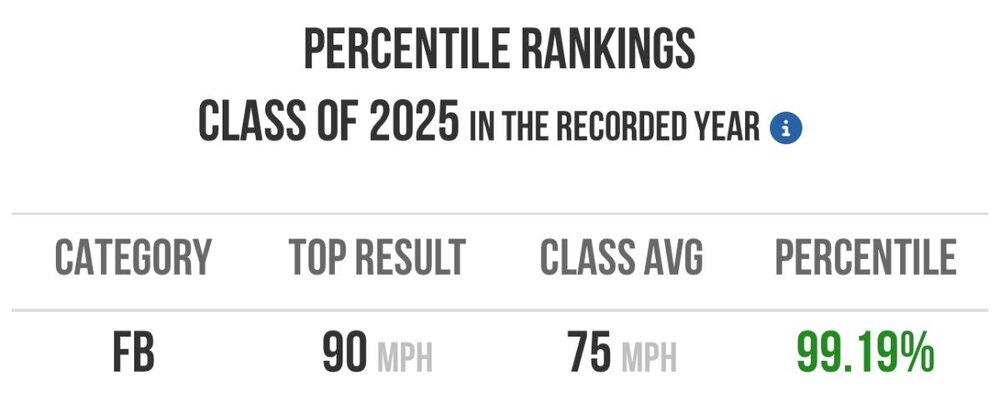
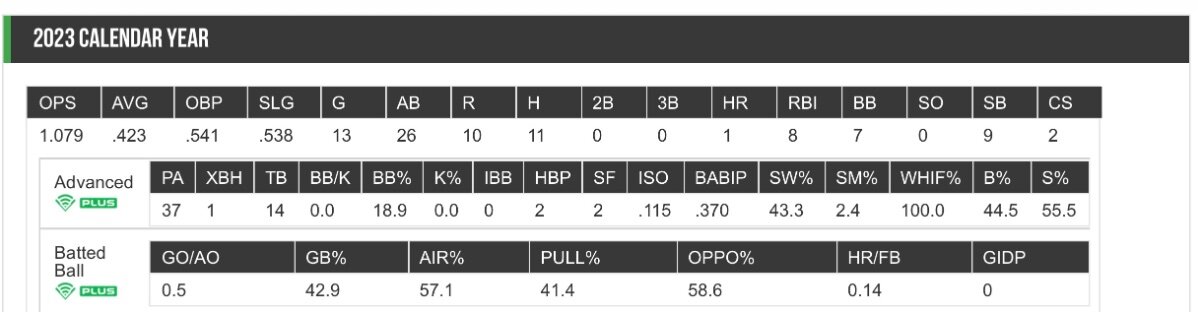
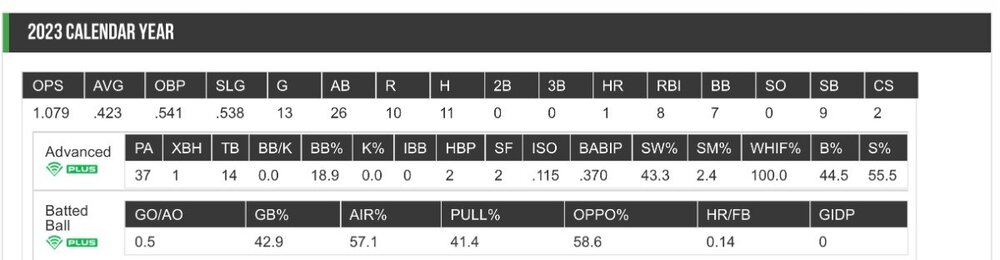
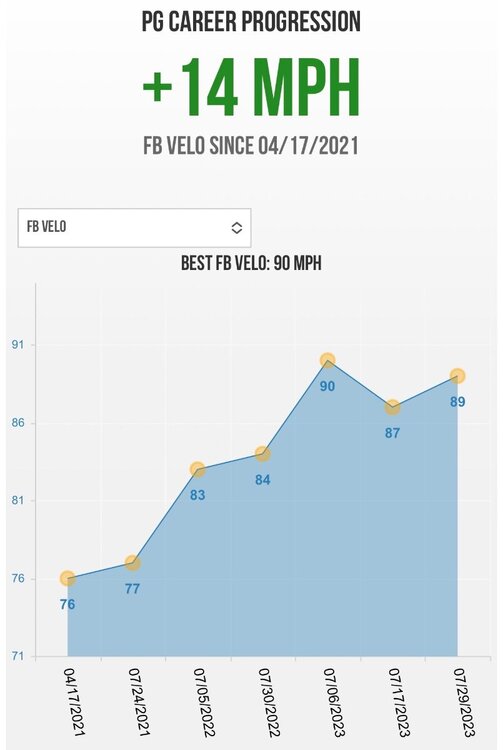 So Jonah actually plays for the same travel ball organization that my son does, Wow Factor. Here are some stats from this past year:
 Works at Ceiling Biosciences in Austin (according to LinkedIn).Without a doubt. It makes a world of difference, especially in such a short distance (like on a football field).Haha I’m more of a spread guy than player projections, to be honest. However, I’ve done pretty well on PrizePicks here lately!Thank you!
Important Information
We have placed cookies on your device to help make this website better. You can adjust your cookie settings, otherwise we'll assume you're okay to continue.
Account
Navigation
Search
Configure browser push notifications
Chrome (Android)
- Tap the lock icon next to the address bar.
- Tap Permissions → Notifications.
- Adjust your preference.
Chrome (Desktop)
- Click the padlock icon in the address bar.
- Select Site settings.
- Find Notifications and adjust your preference.
Safari (iOS 16.4+)
- Ensure the site is installed via Add to Home Screen.
- Open Settings App → Notifications.
- Find your app name and adjust your preference.
Safari (macOS)
- Go to Safari → Preferences.
- Click the Websites tab.
- Select Notifications in the sidebar.
- Find this website and adjust your preference.
Edge (Android)
- Tap the lock icon next to the address bar.
- Tap Permissions.
- Find Notifications and adjust your preference.
Edge (Desktop)
- Click the padlock icon in the address bar.
- Click Permissions for this site.
- Find Notifications and adjust your preference.
Firefox (Android)
- Go to Settings → Site permissions.
- Tap Notifications.
- Find this site in the list and adjust your preference.
Firefox (Desktop)
- Open Firefox Settings.
- Search for Notifications.
- Find this site in the list and adjust your preference.