


Horns1953
Supporters
-
Joined
-
Last visited
-
Knowing the rules and using them to your advantage is not cheating, until they modify or change the rules. He used it to his team’s benefit. Not saying I agree with this usage of the rules, seems like cheating, just good knowledge of the current rules until they make changes. Good strategy used at the correct time for a win. Just seems unsportsmanlike, but it is legit. He got his team the win and a #2 ranking.
-
Saturday surprise lost by the Aggies!
-
Which Texas QB will be first to run for a TD the regular 12 game 2024 season.
-
OTF I am excited to hear about the announcement of official OTF merchandise soon. This is awesome news, mugs and shirts, bring it on before the start of the 2024 SEC season! Please keep everyone posted! This will be an exciting season! Working on getting my son and nephew to join OTFOG! Hook’Em Horns 🤘🏼🤘🤘🏿🤘🏾🤘🏽🤘🏻🇺🇸🏈
-
PFF has UT’s Longhorns OL ranked 4th, behind 1) Alabama, 2) Georgia, 3) LSU. Hook’Em Horns stampede in the SEC 2024 season 🤘🏻🤘🏾🤘🏽🤘🤘🏿🤘🏼🏈🇺🇸. Just so ready to get it going!
-
Here’s wishing the Lady Longhorns Softball team the best vs OK in the WCWS! 🥎. Hook’Em Horns 🤘🏻🤘🏼🤘🤘🏾🤘🏽🤘🏿
-
Cheers to the Lady Longhorns win over the Texas A&M softball team! Hook’Em Horns 🤘🏿🤘🏼🤘🤘🏻🤘🏽🤘🏽
-
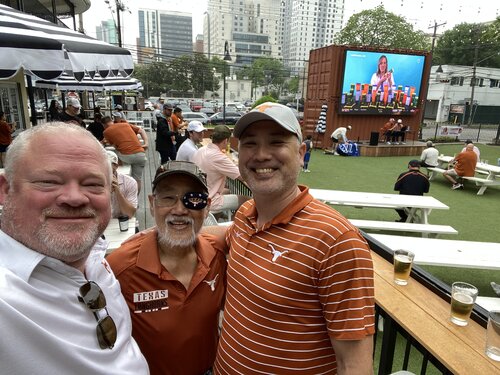 Enjoying some refreshments at the Victory Lap Bar listening to OTF live. Bobby and Rod on stage. Came up from New Braunfels, Tx and brought my son, Jason Lee and my nephew, Leland Brown, visiting from Chicago! Then when to the Spring Game along with over 40K over UT fans to see a great offensive show and no rain. Hook’Em Horns 🤘🏾🤘🤘🏼🤘🏿🤘🏻🤘🏽. Excited for the 2024 SEC season.
 -
Planning on being there with my son and nephew, before the spring game. Radar looks like clear sky until around 4:00 pm. Hook’Em 👍🤘🏾🤘🏼🤘🏿🤘🏻🤘🏽🏈
