
Daytripper
Supporters
-
Joined
-
Last visited
Everything posted by Daytripper
-
everything is gonna be all right

-
No I’m not Chet but I also am a big fan of his.
-
One of my favesI guess that I should thank my unlucky stars That I'm alive and you're the way you are But that's what I get I've come to expect it from youTrinidad’s mom is a total babeI agree Yes but he has a LamborghiniThat was 58 yards, by godIf Miami wins, Michael Irvin is gonna be jonesing for cocaine and hookers tonightTRUST
 In 2024, Beck purchased a Lamborghini Urus Performante. I’d like to take that baby for a spin around townNice catch"Spread love everywhere you go. Let no one ever come without leaving happier.” —Mother Teresa"There is little that can withstand a man who can conquer himself." - Louis XIVLong sleeve shirt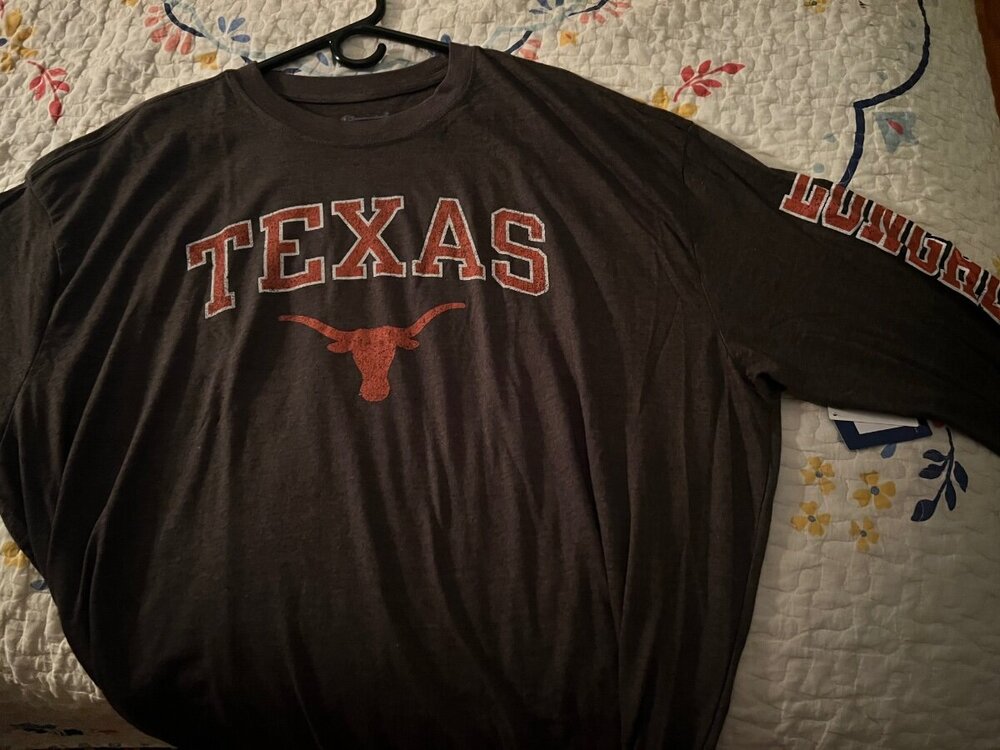
Important Information
We have placed cookies on your device to help make this website better. You can adjust your cookie settings, otherwise we'll assume you're okay to continue.
Account
Navigation
Search
Configure browser push notifications
Chrome (Android)
- Tap the lock icon next to the address bar.
- Tap Permissions → Notifications.
- Adjust your preference.
Chrome (Desktop)
- Click the padlock icon in the address bar.
- Select Site settings.
- Find Notifications and adjust your preference.
Safari (iOS 16.4+)
- Ensure the site is installed via Add to Home Screen.
- Open Settings App → Notifications.
- Find your app name and adjust your preference.
Safari (macOS)
- Go to Safari → Preferences.
- Click the Websites tab.
- Select Notifications in the sidebar.
- Find this website and adjust your preference.
Edge (Android)
- Tap the lock icon next to the address bar.
- Tap Permissions.
- Find Notifications and adjust your preference.
Edge (Desktop)
- Click the padlock icon in the address bar.
- Click Permissions for this site.
- Find Notifications and adjust your preference.
Firefox (Android)
- Go to Settings → Site permissions.
- Tap Notifications.
- Find this site in the list and adjust your preference.
Firefox (Desktop)
- Open Firefox Settings.
- Search for Notifications.
- Find this site in the list and adjust your preference.